Everything starts with a layer
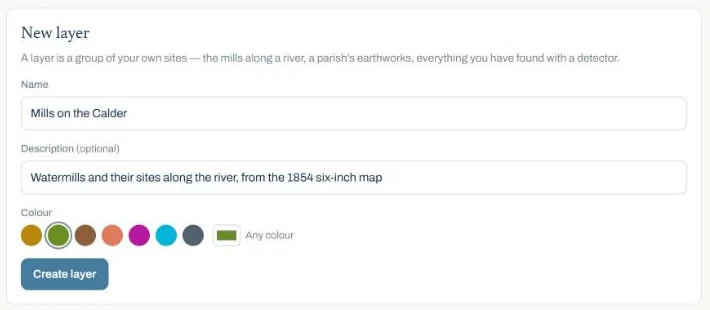
A layer is a name and a colour, and it switches on and off on the map exactly as English Heritage or Listed Buildings do. Open My sites in the top bar and fill in the form.
Seven colours are suggested and you can pick any other, with one rule: a layer cannot take a colour the map already uses for a dataset. Those colours mean something wherever they appear, so a layer in National Trust green would be a layer that lies about what it is. Choose one too close and the form names the dataset it clashes with and asks for another.
Your own sites are drawn as diamonds rather than teardrops, so the shape says it is yours before the colour does.
Two ways to add a site
Which one is right depends on whether you are looking at a list or looking at the ground.
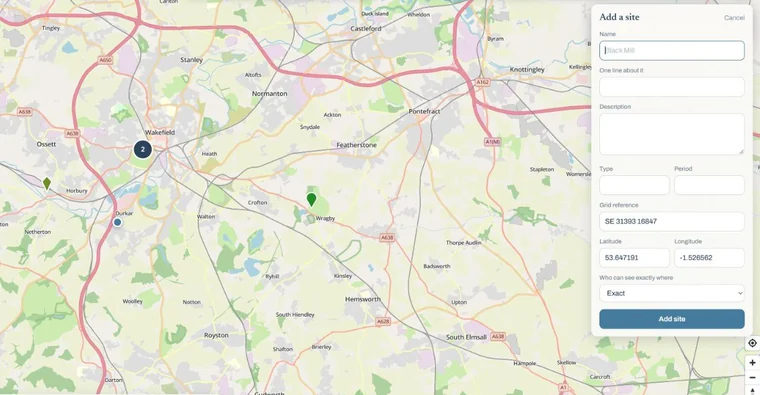
- By typing, working through a list. The layer’s own page has an Add a site form. Only the name and the position are needed; a one-line summary, a type, a period, a link and a longer description are all optional. Where it is takes a grid reference or a latitude and longitude, so
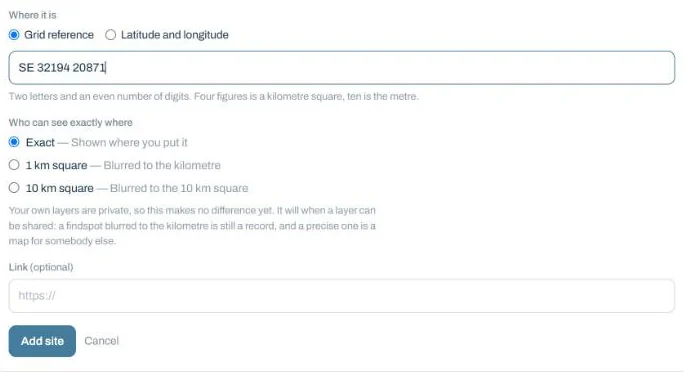
SE 3219 2087is a hundred-metre square andSE 32194 20871is the metre. Type it however you like and it is tidied up for you. - On the map, when you can see the spot. Open the layers panel, scroll to MY LAYERS and choose + Add a site. Click where it is and the grid reference and coordinates arrive already filled in. Drag the pin to adjust before you save.
Who can see exactly where
This is the part worth reading properly. Every site has a setting for how precisely its position is shown to anybody who is not you. Exact shows it where you put it. 1 km square and 10 km square publish the middle of that grid square instead.
On your own layers it makes no practical difference, because they are private and nobody else can see them at all. It matters on a group’s layers, where every member sees the sites and anyone who is not an editor sees a site shared to the square as that square, never the spot.
The case for it is the one the Portable Antiquities Scheme makes when it publishes findspots to the parish rather than the metre. A findspot blurred to the kilometre is still a record. A precise one is a map for somebody with a detector and no permission.
Be exact about what blurring does, though. The published point is the centre of the grid square your site falls in, and your site is somewhere inside that square, almost never in the middle of it. What it cannot hide is the square itself: if there is one plausible earthwork in that kilometre and somebody knows the ground, blurring will not save it. It defeats “here is the spot”. It does not defeat “there is something in this square”.
They behave like real sites
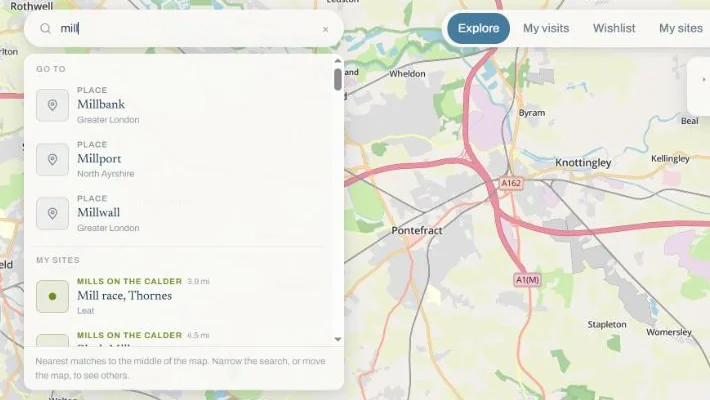
That is the point of the whole feature. A site you recorded yourself gets the page any site gets, with the layer named above the title in the layer’s colour. You can record a visit against it, with a date, photographs, a rating and private notes, exactly as you would at Stonehenge. You can add it to your wishlist. It appears in your statistics. And it turns up in search under MY SITES, above the results from the registers.
Deleting a site also deletes any visits recorded against it, and deleting a layer takes its sites and their visits with it. Both say how much goes before you answer, and a deletion that would take a visit asks a second time, because a visit is the one thing on a layer you cannot write again from memory.
What stays private
- Your own layers are visible to you and nobody else. Joining a group shares none of them; only the group’s own layers are shared, with its members. There is no public listing of any kind.
- A visit to one of your own sites can never be published to the public pages at /visits. The option is not offered, and the database refuses it as well, so it cannot happen by accident.
- Your private notes and your rating stay private on your own sites for the same reason they are private everywhere else.
On the phone
My sites arrives in the app in the next update. The website is the better place to sit down with a list; the app is for the other half of the job, standing in the field with the position the phone already knows. Anything you make here is waiting for you when it lands.
Next: map layers, or recording visits.